A music community-centered workshop

Conversant Soundworks is my space where I serve the music community: free software for players, music education, mentoring, and plain-spoken videos about gear and sound. It started with RigSuite, a pair of programs built for the problem NAM players know well: a sprawling library of great tones you can't navigate, and the nagging sense that the fix is to download more. RigSuite measures what you already have and turns it into a rig that listens to itself. Free to use, even in the music you sell, on Windows and macOS.

RigSuite 0.95 · FREE read the 0.95 release notes

Neural amp modeling solved capturing an amp. What it never solved is living with the results: libraries that sprawl into thousands of files, each named however its author felt that day, with no way to tell what anything sounds like short of loading it, one file at a time. Option paralysis, and the quiet feeling that the answer is one more download, when the answer is usually to do more with what you already have. That problem is as old as the ecosystem itself, and RigSuite was built to be the missing piece: measurement and plain language first, playback second.

That idea shapes both programs. RigSculpt Workshop measures your neural amp models, cabinets, and reverbs, then writes what it learns into the files; the RigSculpt VST plays them, and reads that same information back. Together they turn a folder of a thousand cryptically-named models into something you can navigate by sound, and a library that felt like it needed one more download into one you finally know your way around.

VST3 plug-in (AU on Mac) · Windows · macOS (Intel + Apple Silicon)

Play the rig

A full rig, built around neural amp models. Two independent amp-and-cab paths, mono or true stereo with one-click balancing, each with its own input calibration, EQ, and pan.

  • Amp & tone shaping: a pickup-voicing model in front, an eight-band output EQ with an Accentuate control after, and a tuner.
  • A full pedalboard: a three-voice drive, a four-voice compressor, a chorus, a vibe, five delay modes, and six reverbs (five original engines plus convolution).
  • Analysis-aware: it reads what RigSculpt Workshop writes into your files to match one amp's response to another, voice its effects to the rig, and lay out your library by how the models actually sound.
The RigSculpt VST AMP page: pickup voicing, two neural amp paths with BUILD STEREO and RIG FIT, output EQ, and the cabinet loader
Desktop app · Windows · macOS (Apple Silicon)

Know the rig

Point it at a folder and it listens to each model and cabinet, measures what they do, and says it in plain English. A library you couldn't read by name, you can now read by sound.

  • Amp Bench: sorts your neural amp models into six measured archetypes and finds the ones that sound alike.
  • Pedal Bench: reads captures of drive, boost, and fuzz pedals by maker and measured character: drive amount, tonal tilt, and squash, with the calibration figures at a glance.
  • Full Rig Bench: handles amp-plus-cab captures as whole rigs, with an honest whole-rig voicing profile instead of amp-only archetype names.
  • Cab Bench: fingerprints cabinet impulse responses and reshapes them without loss, with EQ, a voicing borrowed from another cabinet, or a blend of mic layers.
  • Reverb Bench: measures, sculpts, and builds convolution-reverb impulse responses.
RigSculpt Workshop inspecting an amp model: its EQ shape, a Tone, Gain, and Feel overview, and the full measured stats

How they work together

RigSculpt Workshop writes its measurements straight into your .nam and .wav files. The RigSculpt VST reads them back, so the plug-in already knows a model's voicing, breakup, and feel the moment you load it. The knowledge travels with the files rather than sitting in a private database, and any tool that can read them (including a language model) can pick it up.

Why it's free

RigSuite is free, including for the music you sell. No account, and the software itself stays whole, with nothing crippled to push an upgrade. It stands on the Neural Amp Modeler ecosystem, the open project created by Steve Atkinson, and this is a way of paying that forward.

The tools got built because sorting a big library by ear is slow, tedious work, and once they were good enough to fix that, I kept them free so they could reach as many players as possible. I also make premium NAM packs, and optional support is welcome on Ko-fi, where the downloads live, though it's never required. Both help sustain the work without putting the tools themselves behind a paywall. I have always appreciated the community-driven spirit of NAM, and I made RigSuite free with that in mind. Hearing the music you create with it means more to me than any financial support.

If you feel like supporting someone, start with Steve Atkinson: NAM exists because he shared it openly, and nothing here exists without that decision. As I write this I'm his top supporter on Ko-fi, and I'm challenging you to beat me. And if RigSuite inspires someone else to build their own thing and give it away too, even better.

What's in the box FREE

  • RigSculpt (VST3 plug-in, AU on the Mac) and RigSculpt Workshop (desktop app), for Windows and macOS.
  • Factory neural amp models, cabinet impulses, and reverb IRs, recorded and measured here at the bench.
  • The field guide, with the whole suite documented in detail.

The Windows tools were downloaded more than 3,000 times in their first seven days. Some of what players have said:

"This is so cool"

Steve Atkinson, creator of Neural Amp Modeler

"As someone who's spent years building and curating a large NAM/IR library, I'm genuinely impressed, not only by the sound, but by the philosophy behind the software. It feels like a thoughtfully designed ecosystem rather than just another plugin."

Marcelo H.

"There are so many incredibly useful and well thought out features in it... I'm most impressed by the way it can quickly build stereo amp rigs that have balanced tone on each side."

Louis P.

"I have been using RigSculpt Workshop to analyze my 10,000+ nam files. The program is very well laid out and designed!"

Skyler

"RigSculpt is AMAZING! I'm still futzing around trying to work things out but I'm blown away by the quality of the tones (including FX)."

Ralph M.

"This is exactly the sort of thing I feel like has been missing from this part of the world."

John C., from his video review

"Almost zero noise, very clear sound. This is an exciting moment in digital modelers."

Bastian V.

Real comments from the launch video, the NAM community, and one video review; lightly trimmed, punctuation tidied, most names shortened.

Education

Teaching is half of what this workshop is for. The written side is the field guide, which documents the whole suite in plain language, and release notes written to explain what changed and why. The spoken side lives on the YouTube channel: walkthroughs, playing sessions, and gear talk. Below is the walkthrough I recorded the day RigSuite went out: one take, no script, no edits. It is the quickest way to see the ideas behind both programs and work out whether any of this is useful to you.

Two things worth knowing before you watch. It was recorded before the 0.92 patch, so parts of it look different now: the IN tab, true stereo input, full MIDI control and the guided RigSculpt Workshop handoff all landed later, and the 0.92 release notes cover those. It also does not walk through getting a model analyzed in RigSculpt Workshop and handed over to the RigSculpt VST (centralize, then embed). Both apps now prompt you through those two steps, and the field guide spells them out plainly.

And to be clear about what this is: a home recording by the person who built the thing, shared because it turned out to be useful to other players too.

Mentoring

The tools are free. Alongside them I take on a small number of personal sessions through Ko-fi, on a rotating basis. This is the hands-on side of the workshop, where we work on your music directly.

Async coaching

A close listen, and honest feedback

Send me a track, or just your playing, and I'll sit with it and come back with structured, candid notes written for you specifically. The best lessons I've had in twenty-plus years were deeply personal: players I respected, who knew my goals, including peers whose approaches were nothing like mine. Nick Johnston is far beyond a peer, but his lessons embodied that same humble, artist-first spirit, and it's the approach I bring to mine, in place of a prescribed curriculum that may have little to do with how your brain digests music or what you're actually after as a player. It starts from you.

Guitar lessons

The same, with room to go deeper

Ongoing lessons in that same artist-first spirit, with room to go back and forth in real time. I suggest starting with an async session first, so I get to know you as a player and we can both tell whether our perspectives line up with where you're trying to go. That first listen is the honest way to know we're a fit before we commit to more.

Remote gear sessions

Your holy-grail tones, on my amps

Book time to remotely dial in some of my vintage amps and capture them as your own. RigSuite's factory presets already cover a lot of ground on these amps, and the premium packs cover more, but those are dialed the way I like them, and taste is personal. A session is how you walk away with a few .nam files that genuinely feel like yours.

These rotate, and there's more besides these. Making music comes first, so I pause the sessions when I'm deep in creative work. Whatever's open right now is on Ko-fi.

The Workshop

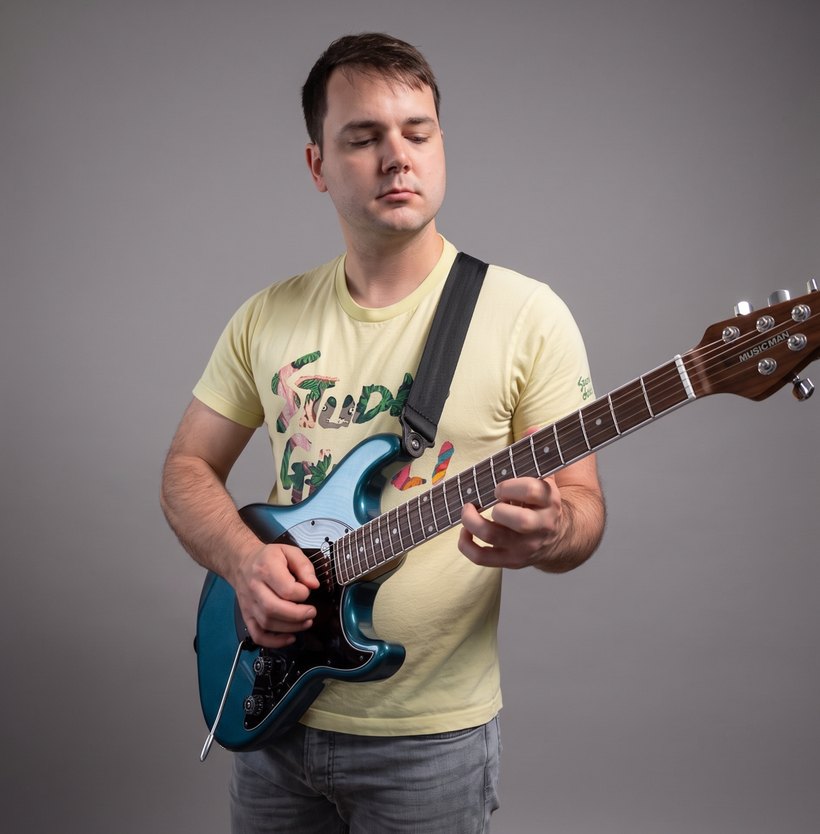
I'm a guitarist and artist first. Conversant Soundworks is one person at a bench, me, and RigSuite started the way most things here do: with a sound I was chasing.

A lot of my life in music has been that chase: shaping tones, comparing gear, building signal chains, capturing sounds, and listening closely enough to understand why one combination makes me want to play and another doesn't. Over time, I accumulated a large library of neural amp models, cabinet responses, reverbs, and other tools I genuinely cared about.

I also found myself spending more and more time searching, comparing, organizing, and rebuilding instead of playing, often with the familiar feeling that acquiring more might somehow lead to playing more. I wanted a better way to understand what I already had, navigate it, and shape it into something personal.

RigSuite grew out of that.

What began as a solution for my own rig has now helped thousands of players make more of what they already have. Along the way, it has also opened up some fascinating ways of thinking about tone. Analyzing individual amp snapshots, for example, can reveal how closely very different amplifiers can sometimes be made to resemble one another, an insight that is harder to see when thinking only in terms of conventional parametric controls.

That mix of practical usefulness and musical curiosity is really what Conversant Soundworks is for.

It has a separate name from my artist work on purpose, although there is no attempt to separate it from me. The videos are on my own channel, my name is all over this page, and the same musical instincts run through both. The distinction is about what the work is trying to do.

My artist pages are where I make things because I want them to exist. The process itself is part of the point. Conversant Soundworks is the part of my practice that turns outward, where I take things I have learned, built, or wished existed and shape them into tools that might be useful to other players.

I want the work here to stand on whether it helps: whether it saves time, clarifies something, opens up a new possibility, or simply gets someone back to playing.

Much of what I build is free. I also make premium NAM packs and welcome support from people who value the work, and I'm deeply grateful when people choose to support the time and effort that goes into it. Those things can live comfortably alongside the larger purpose. Conversant Soundworks is a workshop for musicians, and giving it a name of its own gives that work a home that can continue to grow around that purpose.

The philosophy behind RigSuite is simple. A rig is a tool. The models, cabinets, reverbs, analysis, and utilities are all tools. The player stays at the center.

Neural amp modeling is extraordinary technology, and open-source work has made it possible for one person to build things that once might have required a team. But the technology matters most to me when it removes friction without taking away the decisions that give playing its identity: what you like, what sounds like you, and how you want to get there.

RigSuite's job ends where your taste begins.

That idea also reaches beyond tone. RigSuite is only the workshop's starting point. The tools I'm building next move into the fretboard itself: shapes, harmony, visualization, and some of the ideas about how music fits together that took me years to work out, made easier to see, hear, and explore.

The through-line is helping players better understand what they already have, what they are already doing, and where they might take it next.

None of this would exist without Steve Atkinson's Neural Amp Modeler, which he shared openly, or without the wider open-source community whose work I rely on.

RigSculpt began as my adaptation of his plug-in. RigSculpt Workshop grew from wanting a practical way to navigate a large library of models. Everything built around that foundation, including pickup voicing, drive, compression, modulation, delay, five reverb engines, output EQ, stereo dual-rig operation, the library tools, Synergize, and the MIDI pedalboard, was developed here for RigSuite.

It has become a substantial body of work, and I'm proud of what I've built while wanting to remain equally clear about the foundation that made it possible.

I also want to be transparent about how the software gets made.

I'm a musician first and foremost, with a day job and a family. I use modern AI-assisted tools for some of the more complex software engineering because I was determined to solve these problems and my own coding ability was not at a level where I could have built all of this alone.

What I bring is the idea, the musical judgment, the product design, the testing, the iteration, and hundreds of hours spent deciding how the thing should actually work. That means everything from what belongs in the signal chain and how a control should respond to how features interact, what the interface says, and what is worth building at all. The design, musical, and product decisions are mine, and I remain responsible for everything I release.

I know AI-assisted development is a sensitive subject for some people, so I would rather be straightforward about it. The software tools I build this way are intended to remain free and oriented toward public usefulness. Premium sound libraries and optional support help sustain the broader work without putting the core tools behind a paywall.

People sometimes ask how that squares with my feelings about AI in music.

For me, the distinction comes down to what I value in the process. With my own music, the process is inseparable from the result. The uncertainty, failed ideas, playing, listening, revision, and long way around are where the songs come from, and I have no desire to outsource that.

With a utility, usefulness is the point. I care whether it solves the problem well and whether it leaves the person using it with more room to create something of their own.

That's where I currently draw the line. The technology and its implications are changing quickly, and my thinking may evolve with them, but the principle underneath Conversant Soundworks is much more stable: build useful things, be clear about how they were made, give credit where it belongs, and keep the musician at the center.

Everything here comes out of an actual working musical practice, from the records and videos to a rig that has to hold up when I sit down and play.

You can find that work on the YouTube channel (8K+ subscribers), the Facebook page (3.5K followers), and my music on Bandcamp.

Music

Enigma (feat. Nick Johnston), from the album Palette.

Palette is on all the major streaming services, including Apple Music and Spotify. The best place to buy it is Bandcamp.

Get RigSuite FREE

RigSuite is a free download on Ko-fi. Grab both programs, point RigSculpt Workshop at your models, and load one into the RigSculpt VST on a guitar track.

Now on macOS. RigSculpt Workshop requires an Apple Silicon Mac (M1 or later) running macOS 14 Sonoma or newer. The RigSculpt VST runs on macOS 11 Big Sur or newer, on both Apple Silicon and Intel, in VST3 and AU hosts (Logic, GarageBand, Reaper, Live, and others; Pro Tools/AAX is not supported). Both are code-signed, and notarized by Apple: installation is a standard drag-to-Applications for RigSculpt Workshop and a standard installer package for the RigSculpt VST, with no security overrides needed. Tested on a MacBook Air (Apple M5) running macOS Tahoe 26.5.2, including full stereo rigs (two neural amp models, two cabinet IRs, and the effects chain) without strain. 8 GB unified memory is the sensible minimum, and 16 GB is recommended for large libraries.

And Linux? A native build is something I will work toward once macOS users have had time to report friction. Meanwhile, Linux users are already running the Windows RigSculpt VST under Wine, and in native Linux DAWs through the yabridge wrapper; a discussion on linuxmusicians.com covers working setups.

Want more of my own tones? Premium .nam packs on Ko-fi are expanded, more flexible sets in the same dialed-in flavor as RigSuite's factory presets, each embedded with RigSculpt Workshop analysis so they drop straight into the RigSculpt VST.